Drayton RTS4 Thermostat Wiring Diagram
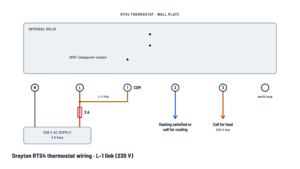
Drayton RTS4 thermostat wiring
Wall plate with the 230 V supply and the changeover contact; choose how the common is fed.
Terminals and components · 7
- Live
- Neutral
- Common (COM)
- Call for heat
- Heating satisfied / cooling
- Earth loop
Connection
Run the neutral from the same 230 V AC, 50 Hz circuit that feeds terminal L.
Caution
- The RTS4 is electronic with a relay output: without the neutral on N and the 230 V supply, the relay won't click and the call-for-heat contact stays open.
Function
Powers the electronics and, with the link to terminal 1, is also the live that the contact switches to terminal 2 or 3.
Caution
- Before switching on the mains, make sure the circuit fuse is 3 A.
- Disconnect the mains before fitting or removing the thermostat from the wall plate.
- The fixed wiring must include a switch with at least 3 mm contact separation in all poles.
Function
Only powers the electronics: the output contact is volt-free and gets nothing from L.
Caution
- Before switching on the mains, make sure the circuit fuse is 3 A.
- Disconnect the mains before fitting or removing the thermostat from the wall plate.
- The fixed wiring must include a switch with at least 3 mm contact separation in all poles.
Function
It is the common of the changeover (SPDT) contact: on call for heat it connects to terminal 3 and, with no heat demand, to terminal 2.
Caution
- The contact is volt-free but not SELV: fixed wiring only.
- Contact rating: 2(1) A at 230 V AC.
When to fit it
Fit a link between L and terminal 1 when the thermostat must switch the 230 V live, for example to a zone valve or a boiler with a switched-live input.
Caution
- Contact rating: 2(1) A at 230 V AC.
Use
The contact stays volt-free: it switches the voltage of whatever circuit reaches terminal 1. This is the setup intended for combi boilers.
Check
- Check in the boiler manual which thermostat terminals it uses and that its circuit doesn't exceed 2(1) A at 230 V AC.
- The contact is not SELV: don't mix it with safety extra-low voltage circuits.
Use
Connect here the equipment that must run when there is no heat demand, such as the cooling call of a cooling system. If you don't need it, leave the terminal free.
Caution
- Contact rating: 2(1) A at 230 V AC.
Connection
{'puente': 'Delivers the 230 V live on call for heat: run it to the switched-live input of the boiler, zone valve or programmer.', 'libre': "Closes to terminal 1 on call for heat and returns the external circuit's voltage, for example to the combi boiler's demand terminal."}
Caution
- Contact rating: 2(1) A at 230 V AC.
Use
The thermostat is double insulated: this terminal only provides continuity for the cable's earth conductor, for convenience.
Check
- The figure doesn't label this terminal; check on the wall plate which one is the earth loop.
About This Diagram
This diagram is redrawn from page 4 of the Drayton RTS4 Thermostat Technical Specifications, and we offer it completely free and in English. We have also categorized it in the Thermostats (HVAC & Water Heating) section on Diagramverse, and it has been rated by 1 user with an average rating of 5.0. If you have any specific questions about the Drayton RTS4 Thermostat Wiring Diagram, we suggest checking the Frequently Asked Questions (FAQs) section.
Printable Drayton RTS4 Wiring Diagrams



Wiring Instructions
Before you start
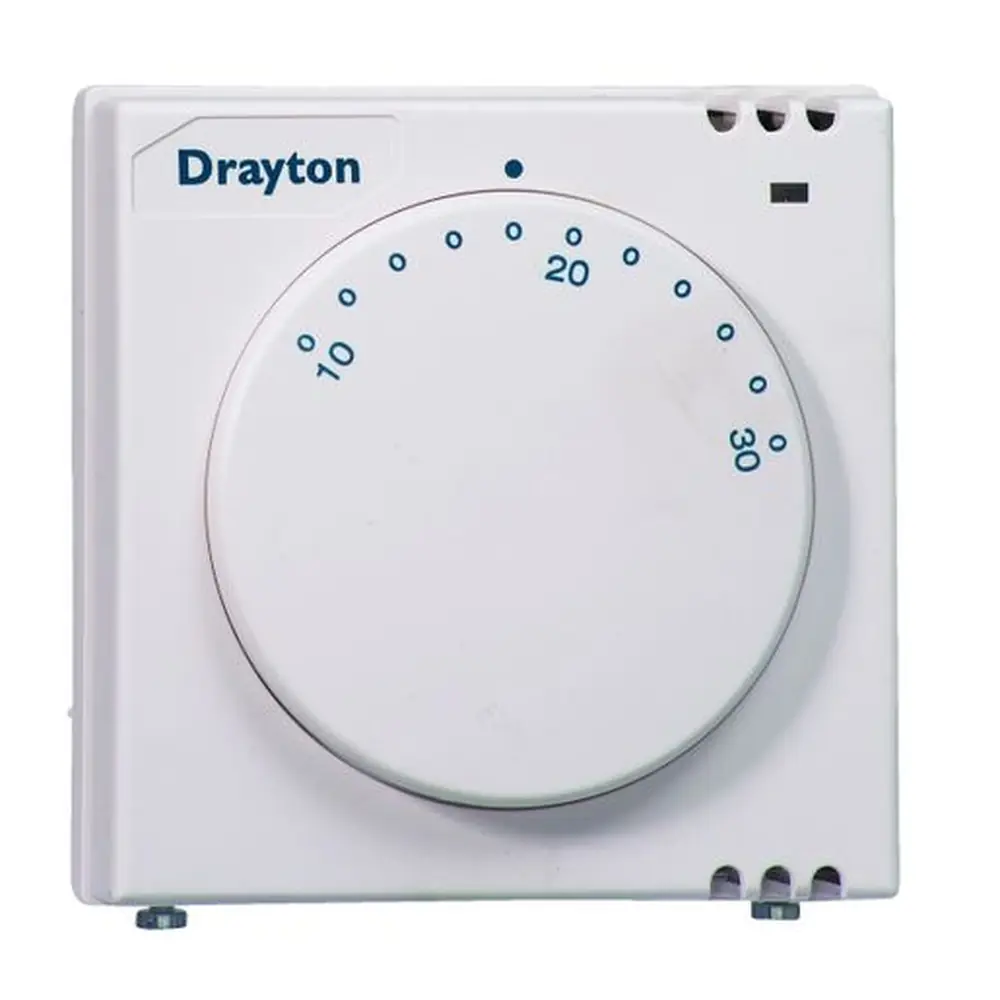
The Drayton RTS4 is an electronic room thermostat with a relay output. It has a single-pole double-throw (SPDT) contact, and that contact is volt-free. Terminals N and L power the electronics. Terminals 1 (COM), 2 (heating satisfied or call for cooling) and 3 (call for heat) form the switch. The switch carries no voltage of its own, so you have to feed terminal 1 in one of two ways. The two diagram variants show each one:
- L–1 link (230 V): use this when the boiler, zone valve or pump expects a 230 V switched live on its thermostat input. A link from L to 1 means terminal 3 delivers 230 V on a call for heat. Most 230 V system and conventional boiler controls are wired this way.
- Volt-free: use this when the appliance supplies its own circuit to the thermostat and only needs a contact closure across two terminals, as many combi boilers do. You leave the link out. The appliance's circuit goes to terminal 1 and comes back from terminal 3, and that external circuit must also be protected by a 3 A fuse.
Tools: insulated screwdrivers, wire strippers, pliers for the cable entry strip, a drill with wall plugs, a voltage tester and a multimeter with a continuity range. For fixing you need No 6 x 1" woodscrews for a flat wall, or M3.5 x 14 screws for a flush single conduit box.
The unit is for fixed wiring only and must be installed to current IET wiring regulations (BS7671). The fixed wiring must include a double-pole isolating switch with at least 3 mm contact separation in all poles, and the supply circuit must be fused at 3 A. The documents don't give a cable size. As general practice, use fixed-wiring cable suitable for a 3 A fused circuit, sized and routed to your local wiring regulations. If you aren't competent in mains wiring, or your local rules require notification or certification of the work, have a qualified electrician or heating engineer do the job.
Choose the location before you run cable. Mount the thermostat on an inside wall about 1.5 m (5 ft) above the floor. Keep it out of direct sunlight and drafts, and away from radiators or other appliances that give off heat.
Step-by-step wiring
- Switch off and lock off the supply at the isolating switch or consumer unit. With your voltage tester, confirm that no voltage is present on any conductor, including any feed coming from the boiler or wiring center.
- If you are replacing an old thermostat, label each wire by function before you disconnect it: live, neutral, call for heat, satisfied and earth. Old ACL and Drayton models use different terminal numbers, so match by function, not by number.
- Loosen the securing screws and separate the thermostat from its wall-plate. If you are using surface wiring, snap out the cable entry strip on the bottom edge of the wall-plate with pliers.
- Fix the wall-plate with the terminals at the top, either directly to the wall or to the conduit box.
- Connect the supply neutral to N. This connection is mandatory. Without it the electronics have no power and the relay never switches.
- Connect the 3 A fused live to L.
- Feed the common. For the L–1 link (230 V) variant, fit a short insulated link from L to 1. For the Volt-free variant, connect the appliance's thermostat feed wire to 1 and leave out the link.
- Connect the appliance's call-for-heat (demand) input to 3.
- Use 2 only if you need a signal when heating is satisfied, for example to switch a cooling device or the "closed" side of a valve. Otherwise leave it empty.
- If the cable has an earth conductor, terminate it in E so earth continuity carries on through the box. The thermostat itself is double insulated and needs no earth.
- Check that each conductor is fully inserted, the screws are tight, no bare copper shows and no strands are loose. Plug the thermostat onto the wall-plate and tighten the securing screws.
Testing and start-up
Before you restore power, confirm that the circuit fuse is 3 A. Switch on and turn the knob well above room temperature. You should hear the relay click, and the appliance should get a call for heat. In the L–1 link variant, terminal 3 should read about 230 V AC to neutral. Turn the knob well below room temperature and the relay should click back. Terminal 3 should then drop to zero, and terminal 2 becomes live through the link.
In the volt-free variant, isolate the external circuit first. Then do the same test with a multimeter on continuity. Terminals 1–3 should be closed on demand and 1–2 closed when satisfied. Finally set the comfort temperature against the setting mark (range 10 to 30 °C). If needed, pull off the knob and reposition the two limiting arms to restrict or lock the setting.
Safety notes
- Terminals N and L always carry 230 V AC. In the L–1 link variant, terminals 1, 2 and 3 are also at mains voltage.
- Even in the volt-free variant, the contacts are not SELV. Treat every terminal as mains wiring, and only connect a low-voltage appliance circuit if the appliance's instructions allow it.
- Always disconnect the mains supply before you fit or remove the thermostat from its wall-plate. A separate external feed on terminal 1 needs its own isolation.
- Do not exceed the 2(1) A 230 V AC switch rating: 2 A resistive, 1 A inductive. Switch heavier loads such as pumps or large valves through a relay or wiring center.
Troubleshooting
| Symptom | Probable Cause | What to Check |
|---|---|---|
| Thermostat never clicks and the boiler never fires | No neutral on N, or no 230 V supply on L | With power on, measure between L and N. You should see about 230 V AC. If not, check the neutral connection, the 3 A fuse and the isolating switch. |
| I hear the relay click but the boiler or valve doesn't respond | Common not fed: L–1 link missing in a 230 V installation | Measure terminal 3 to N on a call for heat. If it reads 0 V where 230 V is needed, fit the link between L and 1, or check the external feed to terminal 1. |
| Heating runs all the time and the knob makes no difference | Demand wire on terminal 2 instead of 3, or the appliance's thermostat input is bridged elsewhere | Turn the knob down and confirm that terminal 3 drops to 0 V, or that 1–3 opens on continuity with power isolated. Move the demand wire to 3 and remove any leftover link at the boiler. |
| Heating comes on when the room is warm and goes off when it's cold | Call-for-heat and satisfied wires swapped between 2 and 3 | Isolate the supply and check continuity. 1–3 should be closed when set above room temperature, and 1–2 closed when set below. Swap the wires at 2 and 3. |
| Combi boiler won't respond after fitting the RTS4 in place of an old stat | Wrong variant: the boiler's volt-free input wired as 230 V, or the old wiring was transferred by terminal number | Check the boiler's thermostat input type. For a volt-free input, remove the L–1 link and wire the boiler loop to 1 and 3. Re-map old ACL or Drayton wires by function. |
| Fuse blows or the breaker trips when the boiler is called | Short circuit from the link or a wire touching another terminal, or a load above the contact rating | Inspect for stray strands and a badly placed link. Measure the load current. It must not exceed 2 A resistive or 1 A inductive. Use a relay for larger loads. |
| Heating works intermittently or cuts out randomly | Loose conductor in a terminal, or the thermostat not fully plugged onto the wall-plate | Isolate, re-strip and re-tighten every terminal, then refit the thermostat and tighten the securing screws. Recheck the voltage on terminal 3 under demand. |
| Thermostat switches at the wrong room temperature | Poor location: near a radiator, in sunlight, in a draft, or on an outside wall | Move it to an inside wall about 1.5 m (5 ft) above the floor, away from heat sources and drafts. |
| Knob won't turn past a certain point | Range limiting arms set under the knob | Pull off the knob, lift and rotate the two limiting arms to new notches, then refit the knob at the setting mark. |
| Earth wire left loose after installation | Earth conductor not terminated because the thermostat needs no earth | Terminate the circuit earth in terminal E to keep continuity, and check continuity back to the supply earth. |