Honeywell Chronotherm IV Plus Thermostat Wiring Diagram

Honeywell Chronotherm IV Plus Thermostat Wiring Diagram
Chronotherm IV Plus connections
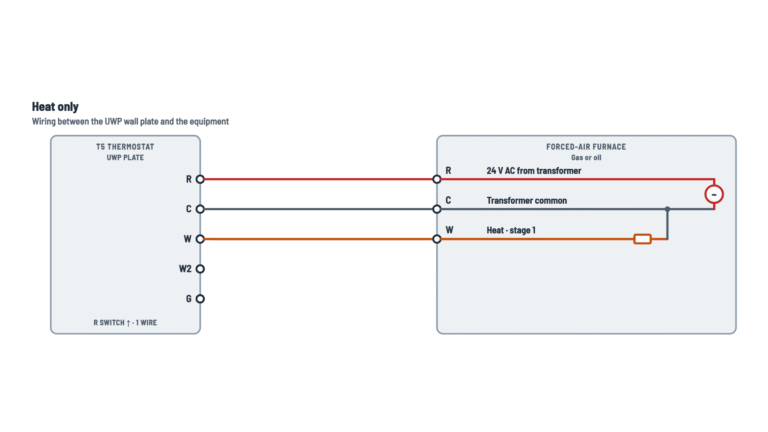
Heat only, or heat and cool with one or two transformers.
Terminals and components · 5
- R
- Common return
- RC
- Jumper
- W
- G
- Y
- O
- B
Check
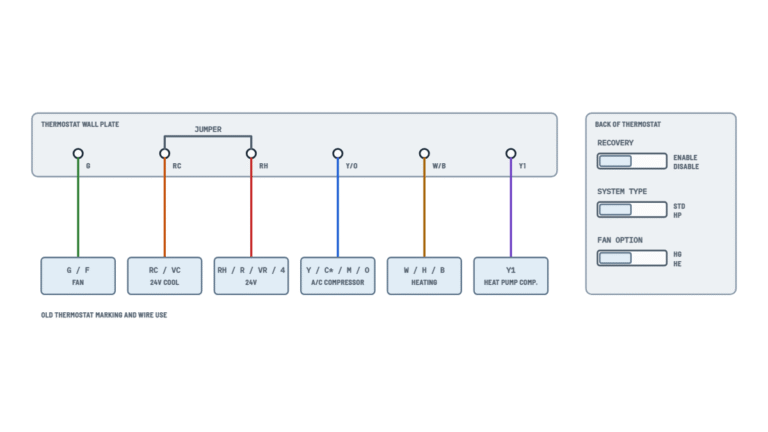
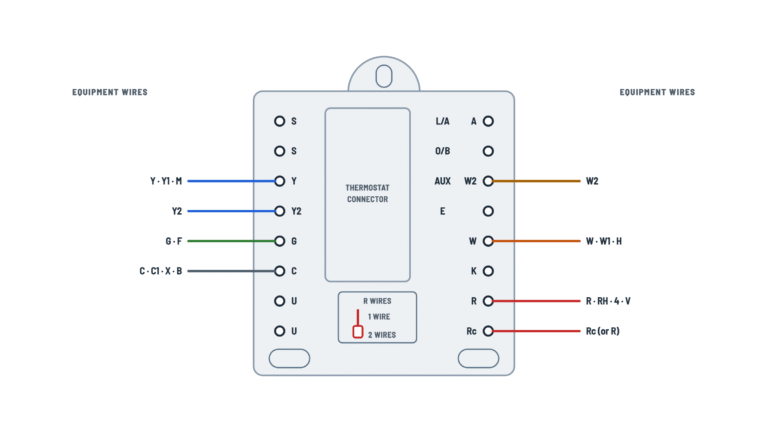
This thermostat's manual has no wiring diagrams. These are the typical hookups for battery-powered Chronotherm IV thermostats with the same wallplate (B, R, RC, O, W, Y, G). Check the terminal letters on your wallplate and on the equipment before wiring.
Batteries
The batteries go in the wallplate and are required for the thermostat and the heating/cooling system to operate. Replace them once a year, or when REPL BAT flashes.
How to connect it
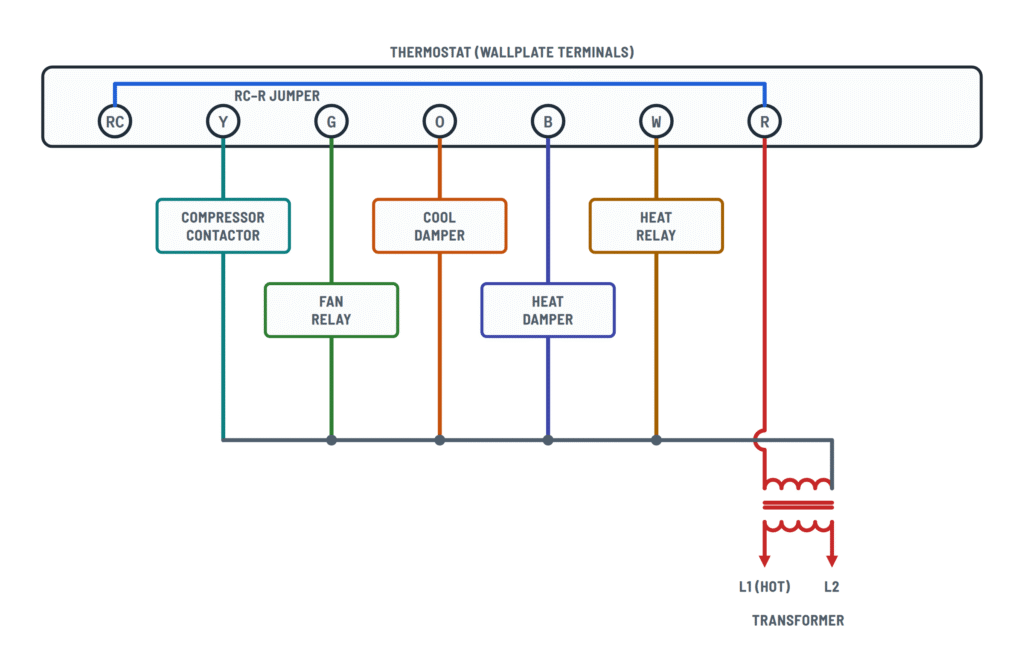
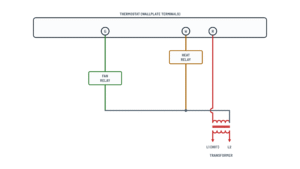
R goes to one side of the 24 V secondary; the other side is the common return for the heat relay and the fan relay. The primary goes to L1 and L2.
How to connect it
R goes to one side of the 24 V secondary; the other side is the common return for all the equipment. The primary goes to L1 and L2.
How to connect it
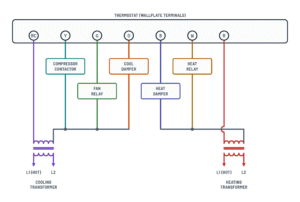
R goes to one side of the heating transformer secondary; the other side is the return for the heat damper (B) and the heat relay (W).
Protection
Provide a disconnect means and overload protection as required.
How to connect it
The second lead of each relay goes to the other side of the transformer secondary. This wire does not go to the thermostat.
How to connect it
The second lead of each device goes to the other side of the transformer secondary. This wire does not go to the thermostat.
How to connect it
The compressor, fan and cool damper return to the cooling transformer; the heat damper and heat relay, to the heating transformer. These wires do not go to the thermostat.
How to connect it
On a one-transformer system, jumper RC to R.
How to connect it
RC goes to one side of the cooling transformer secondary; the other side is the return for the compressor (Y), the fan (G) and the cool damper (O). No RC–R jumper.
Do not add it
With two separate transformers, the RC–R jumper would tie them together.
How to connect it
W goes to the heat relay coil (or gas valve); the other side returns to the heating transformer.
What it does
With the fan key at On it runs continuously; at Auto, only when the equipment runs. It can also be programmed by period.
What it does
With the system at cool, Y energizes the compressor contactor.
Heat pump
On single-stage heat pump systems, O can be used for the changeover valve (if the unit changes over to cool by energizing O).
Heat pump
On single-stage heat pump systems, B can be used for the changeover valve (if the unit changes over to heat by energizing B).
About This Diagram
This diagram is redrawn from the Honeywell Chronotherm IV Plus Thermostat manual, and we offer it completely free and in English. We have also categorized it in the Thermostats (HVAC & Water Heating) section on Diagramverse, and it has been rated by 1 user with an average rating of 5.0. If you have any specific questions about the Honeywell Chronotherm IV Plus Thermostat Wiring Diagram, we suggest checking the Frequently Asked Questions (FAQs) section.
Printable Honeywell Chronotherm IV Plus Wiring Diagrams



Wiring Instructions
Before you start
First, work out which variant matches your Honeywell Chronotherm IV Plus system. Choose Heat only if you have heating equipment and no air conditioning. Choose 1 transformer if a single 24 V transformer, usually in the furnace or air handler, powers both heating and cooling. Choose 2 transformers if heating and cooling each have their own transformer. A common sign of two transformers is an old thermostat with separate R and RC (or RH and RC) wires and no jumper between them. If you can't tell, look inside the equipment cabinets for a second transformer.
You will need:
- A small screwdriver and a wire stripper
- Masking tape and a pen to label wires
- A multimeter with an AC voltage range
- A level, for mounting the wallplate
- A phone to photograph the old wiring
- Three fresh AA alkaline batteries
The sources don't give a wire gauge. If the existing thermostat cable is solid copper and in good condition, reuse it. If you have to replace it, use standard multi-conductor thermostat cable that meets local practice. 18 AWG is the usual choice.
Turn off power to the equipment at its service switch or breaker. With two transformers, turn off both, including the circuit that feeds the cooling transformer. Swapping a low-voltage thermostat is normally a homeowner job. Call a licensed HVAC technician if the job involves replacing a transformer, working inside the line-voltage section of the equipment, setting up a heat pump changeover valve, or a zoned system. Check your local rules on permits.
Step-by-step wiring
- Switch off power at the equipment. With the meter on AC volts, measure across the transformer's 24 V secondary to confirm 0 V. Do this on both transformers if you have two.
- Remove the old thermostat. Photograph the wiring and put a tape label on each wire with the letter of the terminal it was on.
- Pull the wires through the T8665A wallplate. Level the plate and fasten it to the wall. Plug the wall hole so drafts don't affect the temperature sensing.
- Connect the wire from the transformer to R. With two transformers, this is the wire from the heating transformer.
- Set up RC:
- 1 transformer: leave the RC – R jumper in place.
- 2 transformers: remove the jumper and connect the wire from the cooling transformer to RC.
- Heat only: nothing goes to RC.
- Connect the wire from the heat relay to W.
- Connect the wire from the fan relay to G.
- For cooling, connect the wire from the compressor contactor to Y.
- If you have zone dampers or a single-stage heat pump, connect the changeover wire to O or B:
- O is energized in cooling.
- B is energized in heating.
Use the terminal your equipment needs to energize the valve (check its label or wiring diagram). Never connect the same valve to both terminals.
- Leave the common return at the equipment. The wallplate has no C terminal, so the common side of the 24 V secondary only connects the other side of each relay and contactor back to its transformer. If the cable has a common conductor or spare conductors, fold them back, insulate the ends and leave them off the wallplate.
- Tighten every screw and give each wire a light tug. Check that no bare copper sticks out past the terminal, then push the extra cable back into the wall.
- Install three AA alkaline batteries in the wallplate with the positive (+) ends toward the top.
- Hook the thermostat onto the wallplate and press it until it latches.
Testing and start-up
Restore power to the equipment. When the thermostat first powers up, the display flashes 1:00 PM. Set the current day and time, then test each function in turn:
- Heat: set System to Heat and raise the setpoint above room temperature. The heat should start. The thermostat may show "Wait" for up to five minutes before it calls. Many furnaces start the blower a little after the burner.
- Fan: set Fan to On. The blower should run continuously.
- Cooling: only test if it is above 50°F (10°C) outside. Set System to Cool and lower the setpoint below room temperature. After any "Wait" delay, the compressor and blower should both run.
To confirm what the thermostat is doing, measure at the equipment terminals:
- R to common should read the transformer's secondary voltage, about 24 V AC, at all times.
- W, Y or G to common should read about 24 V AC while that function is called, and close to 0 V when it isn't.
- O or B to common should read voltage in the matching mode: O in cooling, B in heating.
When you're done, choose the System mode you want and press Run Program.
Safety notes
- This is a 24 V AC control. Never connect it to 120/240 V circuits such as line-voltage baseboard heaters. That would destroy the thermostat and create a shock and fire hazard.
- Shorting R to common, even for a moment, can blow the low-voltage fuse on the furnace control board or damage the transformer. Always wire with the power off.
- With two transformers, never leave the RC – R jumper in place. It ties two separate transformers together.
- Let the compressor stay off for at least five minutes before restarting it, and don't run cooling when it is below 50°F (10°C) outside.
- Use only fresh alkaline batteries. Other types can leak and damage the thermostat and the wall.
Troubleshooting
| Symptom | Probable Cause | What to Check |
|---|---|---|
| The display stays blank after I installed the thermostat | Batteries are dead or in backwards, or the thermostat isn't latched onto the wallplate | Check that the three AA alkaline batteries are fresh and have the positive (+) ends toward the top. Push the thermostat onto the wallplate until it latches. |
| Nothing works, but the display looks normal | The R wire is loose or missing, or the equipment has no power because of a tripped breaker, blown fuse or service switch turned off | At the equipment, measure the transformer's secondary between R and common. You should see about 24 V AC. If you don't, check the breaker, the fuse and the equipment's service switch. If you do, check that R is tight at the wallplate. |
| The furnace's small fuse blew, or the system went dead, right after rewiring | A short between R and common: bare ends touching, stray strands, or a common wire landed on a wallplate terminal | With the power off, look for nicked insulation and bridging strands. Make sure no common wire is on the wallplate, since it has no C terminal. Replace the fuse only with one of the rating printed on the control board. |
| Heating works but the air conditioning never starts | Single-transformer system with the RC – R jumper removed, the cooling transformer's wire not on RC, or the cooling transformer has no power | With one transformer, refit the RC – R jumper. With two, measure RC to the cooling transformer's common. You should see about 24 V AC. Also check that Y is tight. |
| The transformer gets hot or a fuse blows whenever cooling runs, and there are two transformers | The RC – R jumper was left in, tying the heating and cooling transformers together | Turn off both power sources and remove the jumper. Put the heating transformer's wire on R and the cooling transformer's wire on RC. |
| The blower doesn't run when I set Fan to On | G wire loose, landed on the wrong terminal, or not connected to the fan relay | With Fan set to On, measure G to common at the equipment. You should see about 24 V AC. If voltage is there but the fan doesn't run, check the fan relay and blower. If it isn't, check the G wire at both ends. |
| The outdoor unit runs in cooling but no air comes out of the registers | G not connected, so the compressor runs without the indoor blower | Turn off cooling right away to protect the coil. Connect the fan relay wire to G and test again with Fan set to Auto. |
| My heat pump blows warm air when set to Cool and cold air when set to Heat | The changeover valve is on the wrong terminal: O when it needs B, or the reverse | Turn off power and move the changeover wire to the other terminal. O is energized in cooling and B in heating. Then test both modes again. |
| Cooling or heating takes several minutes to start and the screen says Wait | Normal compressor protection delay, not a wiring fault | Wait up to five minutes. Don't keep cycling the power or the System setting to force a start. |
| The clock keeps going back to 1:00 PM, or the system shuts down at random | Weak or non-alkaline batteries, or batteries out for longer than about 20 to 30 seconds during a swap | Fit three fresh AA alkaline batteries, then set the day and time again. Replace the batteries when REPL BAT flashes, and at least once a year. |